Thursday, October 2, 2008

Spooky!

This is my first Halloween kit. I love this holiday, well, not as much as I love Christmas, but... who doesn't love Trick-or-Treating! I love coming along with my kids. I am totally living vicariously through them. I think you truly enjoy childhood through your children. Well, Halloween Parties are pretty cool too. It's on a Friday this year also! YAY!

So here's another kit for your arsenal. If you join in the SBG festivities this weekend, you can win it for free! Happy scrapping everyone!

Oh by the way, it's 35% off right now!

This page set is jam packed with 22 papers plus an extra one curled one, 47 elements, and a full stitched felt alphabet.


Oh, I almost forgot I have some new CU Overlays as well. No credit is required.

Pajama Party!!

I'm copying Becky's post over at DST here. Thought you might be interested in hearing the great sales and events over at SBG. Come party with us!!


Here’s just some of what you can expect at our Pajama Party this weekend:

CHAT SCHEDULE–all times Eastern

5:00 p.m. Meredith Fenwick Come chat with Meredith, ask about her new baby, and talk scrapping! Meredith will announce the winner of her Make It Yours contest

6:00 p.m. Fontologie & Anna Benjamin We’ll be the first to see Fontologie’s latest font created with Anna Benjamin — come get the font free, exclusively during the chat!

7:00 p.m. Lorie Davison Chat and receive a mystery freebie!


8:00 p.m. Doris Castle and Ramona Vaughn Come for a chance to win copies of Scrapbook Dimension e-zine, plus Doris is giving away this beautiful add-on


9:00 p.m. Stephanie O’Neill Stop in for a chance to win coupon codes to Studio Fontologie!

10:00 p.m. Leah Farquharson gives us some hybrid scrapping inspiration with a downloadable quick page to start your project, plus she’ll be giving away coupon codes to Studio Dianne and copies of Digital Artist Magazine!


11:00 p.m. Michelle Godin & Rachel Young with a special deal on their latest collaboration and a cute freebie!


MIDNIGHT Amy Pearson Join Amy for a hearty game of Truth or Dare! Participate and earn a template!

1:00 a.m. Michelle Reaves aka plumtuckered challenges you to play Xtreme Spirit Club for a chance to win a photo book from MyPicTales or one of five copies of Phuong Ton's new kit, Spooky:


2:00 a.m. Becky Troxel aka webchyck sends you off on a wild picture chase in our forum-based Photo Safari! One randomly selected winner will receive 20 page prints from MyPicTales; we’ll also give away several $15 coupon codes to the Studio Collective.


(The chats take a break for a few hours, but jump in on the fun over in the Pajama Party Forum!)

7:00 a.m. Berna Datema, Biancka and Jenna invite all our Dutch speakers to a Dutch Chat! Berna’s giving away this cute mini:


8:00 a.m. Studio Flergs Come chat with Megs about her newest designs!

9:00 a.m. Kimberly Gabriel aka nevermore wraps up our party by giving away some Quick Pages created by Mel and made with Studio Birgit designs.

SALES TAKING PLACE THIS WEEKEND

MAYA: 50% off October 3 & 4

BIRGIT KERR: 30% off October 3 & 4, no coupon code required, excludes Angel Use license


WENDYZINE SCRAPS: 50% off October 3 & 4 use coupon code WZSleepover


MICHELLE GODIN: 50% off October 3 & 4, no coupon code required


BAERS GARTEN DESIGNS: 40% off October 3 & 4, no coupon code required


NATALI DESIGN: 30% off October 3 & 4, no coupon code required

O.N. DESIGNS: 30% off October 3 & 4, no coupon code required

STUDIO FLERGS: 30% off October 3 & 4, no coupon code required, all outstanding codes will be disabled for the duration of the sale, your discount will be taken at check-out.


BERNA DATEMA: 30% off for the weekend

TRACI SIMS: 40% off October 3, 4, & 5, no coupon code required


PHUONG TON: 35% off October 3, 4, & 5, no coupon code required

STUDIO FONTOLOGIE: 35% off personal use fonts October 3, 4 & 5, no coupon code required


RACHEL YOUNG: 40% off October 3 & 4, no coupon code required

DANA FRANTZ: 50% off with coupon code pjparty October 3-5


DORIS CASTLE: 35% off with coupon code Pajama5 October 3-5

MEREDITH FENWICK: 40% off October 3 & 4, no coupon code required


VERA LIM: 30% off October 3 & 4, no coupon code required

JEN CAPUTO: 35% off with coupon code jc-jammies October 3-4


mgl Scraps: 35% off with coupon code PartyWithMe October 3-5


JANET PHILLIPS: 50% off October 3 & 4, no coupon code, all outstanding coupon codes will be disabled for the duration of the sale


DIANNE RIGDON: 30% off, October 3 & 4, no coupon code required


JESSICA BOLTON: 35% off, October 3 & 4, no coupon code required

AMY PEARSON: 40% off, this weekend, coupon code pending.

CHALLENGES & GAMES IN OUR FORUM

You’ll want to stay tuned to our Pajama Party Forum for all sorts of fun games, challenges, and contests that will be posted throughout our party including:


Hybrid Card Challenge by Denise (one winner to receive a package of traditional supplies)

We Can Build It by Karen Maggie (posting bonus for playing along!)

Scrap a Birthday Memory with Five Favorite Things
by Jenn (posting bonus for playing along)


A special edition of our Quick Page Exchange

Studio Starts #114: Scrap Your Slippers–participate and you’ll earn this posting bonus from Baers Garten Designs:


Hybrid Card Challenge by Jen with a template to download

Word Jumble (with all our designers’ names) by Karen Bowers

Scavenger Hunt by Tammy (5 $5.00 Fontologie coupon codes will be up for grabs)

Battleship by Iara from Baers Garten Designs

Wish for a Kit (possible RAKs from designers)

Wish to Inspire (possible RAKs from designers if ideas used)

Flower Count Contest on the blog by LauraKaye (one winner to receive a RAK Scrap from Laura)

Cover Girl Layout Contest (details to come!)

Surprise RAKS via PM for playing along with us this weekend!

As you can see…a jam-packed sleepover party! All to celebrate Scrapbookgraphics’ 5th Birthday! We sure hope you can join us!


__________________

Becky Troxel

on behalf of the Studio Girls @ Scrapbookgraphics


Flerg's is offering this at her chat.

Wednesday, October 1, 2008

Impressions of Comfort

Impressions of Comfort Studio Girls Collab is out! The colors are so warm and fuzzy. It's pretty warm here in Southern Cal today, maybe even 90 degrees, but I am sure it will cool down soon enough.

Not all items shown!


It's a huge kit as usual. Here's a sampling of what's inside.


Of course this is NOT ALL of the previews!! I just picked random images to display here.

Designers include Impressions of Comfort. Baers Garten Designs, Berna Datema, Dana Frantz, Studio Flergs, Jen Caputo, Jessica Bolton, mgl Scraps, ON Designs, Phuong Ton, Wendyzine Scraps, and Lorie Davison.

So how about some layouts!


by Kristi


by Gislaine


by Danesa

more to come!

The Artisan Notebook Ezine & Win Free Kits

I'm so excited to announce that I'm the featured designer in the Digital Scrapbook Artisan Guild's Ezine this month.

I downloaded my copy first thing this morning. It was like Christmas morning.

So won't you join me in celebrating! Woot! I'll be picking 5 random responders to receive 2 free products of their choice, including ones that have not been released yet (hint... Orchids, Halloween, Christmas).

Here's the thread at DST to respond to if you would like a chance to win.

This month's issue features a Blend Modes Primer with tutorials in PSP, PSE, and good old PS. Each issue includes a membership kit and filled with tutorials, trends, coupons, freebies, and other goodies.

Get your copy today!

My section includes a coupon (doesn't expire until end of December) and free mini kit. Here's the mini kit and couple of layouts for you.

Thanks so much for celebrating with me!!

http://www.dsaguild.com/


Here's a layout by sweet Kristi. She used some stuff from Floral Grunge, the stitches from the Date It, and twine from Tropical Oasis and By the Sea.


Here's one from the talented Lilja


Credits:
Kit: Studio Phuong - Contentment Mini Kit
Alpha: Studio Phuong - Clear Alpha
Overlay: ON Designs - Old Paper Overlays
Frame: Paislee Press - Mailing Label Frames No4
A couple of Tracy Ann Designs Frippery Wisps No1
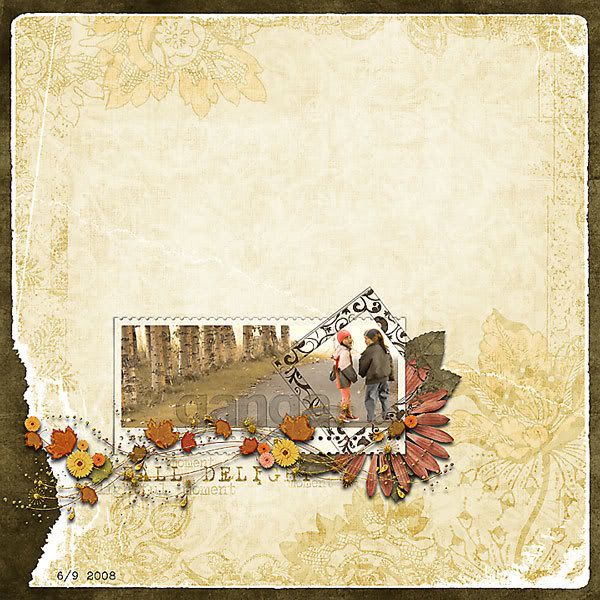
Wordart (recolored with paper from Contentment + blended): Natali Design - Fall Delight

Wednesday, September 24, 2008

Photo Mask Freebie

Here's a freebie for you. When this link expires or reaches its maximum, it's gone. I'm sorry. I won't be updating the links. I have put TWO links up. Click HERE to get it or if that no longer works, click on the photo. If they're gone, they are gone. These photo masks will be available at SBG next week. Feedback would be greatly appreciated. Thanks for visiting!

I'd recommend a darker photo for this particular mask, if you would like to see the details. Also add a slight drop shadow (not too heavy though).

There is no TOU included with this link so here goes, you may use this for your PERSONAL-USE only. You may not share, distribute, or forward the link. You cannot use the freebies to create products for resell or for profit without written permission. You may not use it for any illegal or immoral reason.


HERE is a third link in case.

Tuesday, September 23, 2008

Blending with Fallen Papers

Is everyone waiting for the "Fallen" elements? It seems so! :)
Okay, okay, I'll get working on those soon okay!

So I was thinking, how can I get people to be interested in papers only. I love papers, especially beautifully textured papers. Why? Well, I thought I'd share a quick a dirty way to add textures to your photos. There are so many ways you can do this. But I thought I'd share a quick one with you.

Please keep in mind that you must experiment with different blending modes to get the effect you want.

Okay here goes, create a new 12x12 document. Drag the paper that you would like to use. Use a textured paper with this. Now, of course the Fallen papers are perfect for this as they are textured. So go get yourself a set! LOL.

Second, drag your photo on top of the paper.


Okay so now your photo is top of your paper. Select the photo layer. Now, resize your paper. It should be just a tad bigger than your photo. For papers with light patterns, like this one from Fallen, you will be able to see the designs. You will what I mean in a moment.

With this paper and this photo, the best blending mode to use is "Soft Light". Remember that this also works with PSP as blending modes are also available.


Well, the photo seems very light. So duplicate your photo layer. When you duplicate the layer, the second photo layer should be on top of your first photo layer. It should also be "Soft Light".

I was not happy with it yet so I duplicated the photo layer again. I ended up with 3 photo layers in Soft Light mode.

With the third photo layer, it seems kind of dark. So I lowered the "Opacity" of the third photo layer to 52.


Okay so this is what I ended up with.


Now remove the other parts of the paper that you are not using. I do this by selecting my photo, there should be dancing ants in the shape of the rectangle, then Select -> Inverse, select the paper layer, and delete.


I'm not completely happy with this yet. What I would probably do next is to duplicate the photo layer again, play with the blend modes, and use a mask and only apply softly to the face. But that is a different tutorial. :)

Hope you enjoyed it.

Photo Masks

If you know me well, you know that I love to experiment.

Well, my latest project, yes, I KNOW I AM BEHIND on kits, but I can't help it. My latest project is to create some photo masks. I think most people do know how to use photo masks, but I am sure there are a few out there that has yet to try it out. So I thought I'd show you how to use one with one of my latest products.
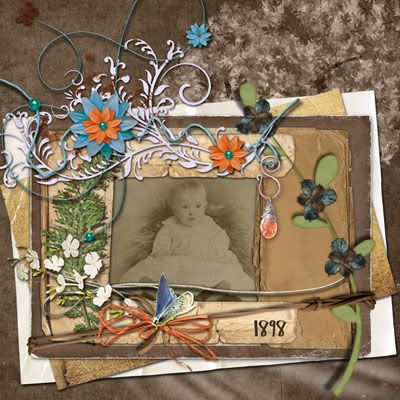
Feedback would really be appreciated on this one. Love/Hate/Don't care. You can even leave anonymous comments! LOL.

To use a photo mask really is only a few steps.

You can start on your layout or you can create a new canvas.

I am going to use a new canvas in this example.

Place your photo on the canvas. Drag the photo mask over your photo. Resize the photo if needed. Place the mask BELOW your photo.


Now, create a clipping mask (Layer -> Create Clipping Mask).
After you create your clipping mask, you can resize the photo or move it as needed.


There you have it!